
Google is on fire right now when it comes to AI.
After all, they’re releasing some of the best AI tools right now.
- Gemini 3 is arguably the best large language model currently available.
- Google’s Notebook LM is an incredible research tool with some amazing features – including the AI podcast feature that everyone loves.
- VEO 3 is one of THE best AI video generators.
- Google’s Nano Banana Pro is one of the best AI image generators.
So when Google announces something new right now, I pay attention.
And at the end of October, they released a free, experimental tool that ‘helps small-to-medium-sized businesses easily generate scalable, on-brand social media campaigns.’
When I heard this, you better believe I was excited.
To fuel my excitement further, the social media hype machine went into overdrive when this marketing tool was launched, screaming things like… ‘Google’s new tool is a Canva killer and is going to put designers out of business!‘
With my excitement in overdrive, I ran to find out more from the Google blog.
It’s called Pomelli, from Google Labs and Deepmind, and it ‘uses AI to understand your unique business and generate effective, tailored campaigns in just three steps.’
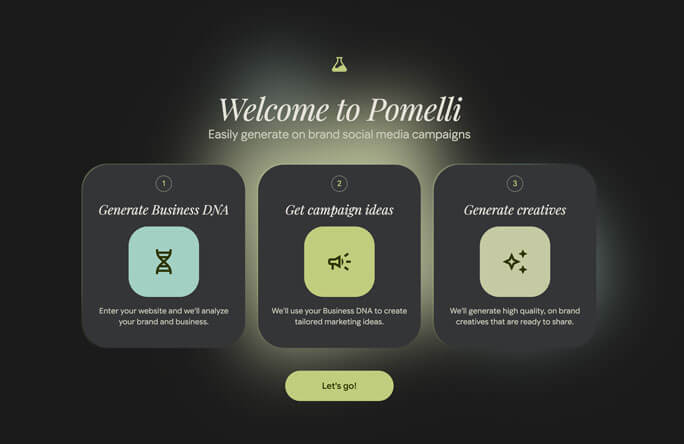
The steps are:
- Build your business DNA
- Generate tailored campaign ideas
- Edit and create high-quality, branded creatives
Sounds excellent. Let’s find out if it is…
Getting Started
Pomelli is available free through a web interface here.
I excitedly clicked on the link, and… it wasn’t available in my country 😭
BUT, a month later and I’m in the US, so I finally get to try it out, and report back to you. Let’s see what it can do.
First thing to note: Pomelli DOES train on your data, I had to OK that before I could proceed.
Once you get started, it’s super easy to use.
Creating your business DNA
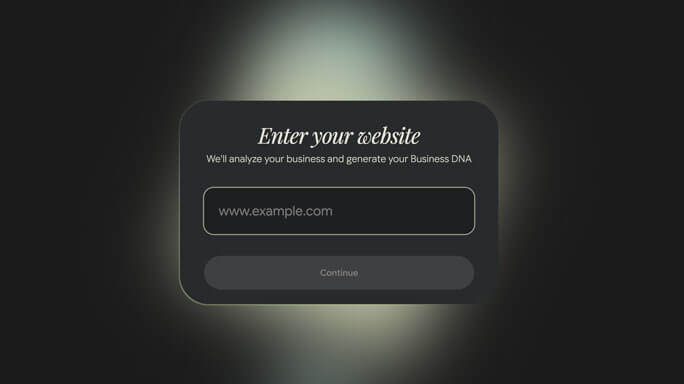
It asks you for your website and says it’ll analyse your business.
When you give it a URL, it grabs your logo, brand colours, fonts, and key images from the page you provided – this is your ‘business DNA’. It also puts together a summary of your business. This was ours:
Frank and Marci is an award-winning digital marketing team specializing in strategic marketing for solopreneurs and small businesses. They offer services like the AI Sales Page Suite, evergreen content marketing, and team AI training to help clients move ‘above the blah,’ achieve accelerated growth, and improve conversion-focused messaging.
Other elements of the analysis include your brand aesthetic (ours includes ‘strategic modernity’ apparently!), values (‘results oriented’ and ‘strategic approach’ came up), and tone of voice (‘confident’ and ‘practical’).
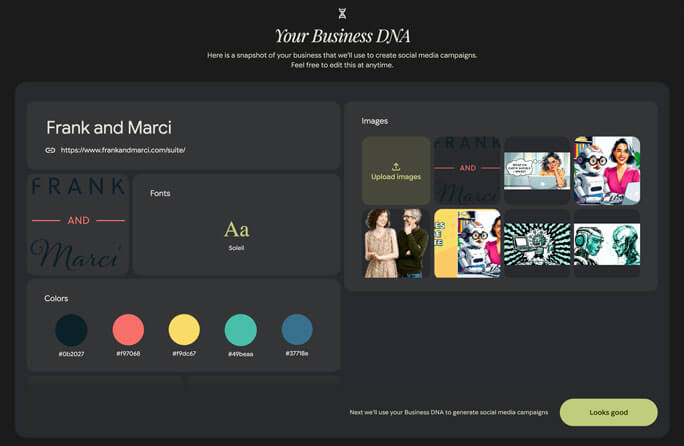
Although it does seem to analyse your website, it doesn’t do a great job, or save a lot of details. I tried giving it our homepage and then asking it to create a campaign for one of our offers, but it didn’t have a clue about any of the details of the offer without me providing them again.
So overall, I was a bit disappointed with the results of the Business DNA analysis – because if the dashboard of Business DNA contains everything that is analysed and saved, then it seems to me that this is NOT enough context to generate good marketing materials.
Let’s see what you think…
Initial Campaign ideas
Once you have your DNA, Pomelli will suggest some campaigns, or you can prompt it with campaign ideas of your own.
Because I got disappointing results when I gave it our homepage, I tried giving it the page for our AI Sales Page Suite instead. So let’s see what campaigns it’s suggesting…
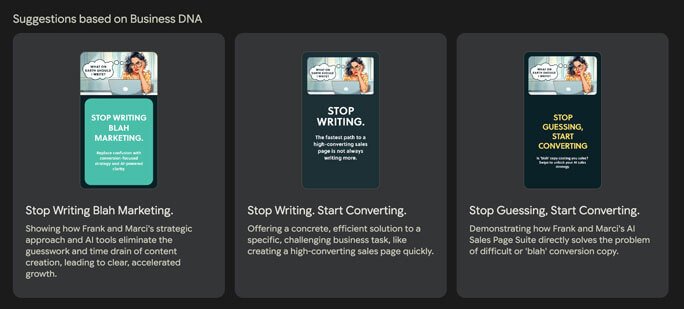
I don’t know about you, but so far, I’m pretty underwhelmed.
The only one that catches my eye AT ALL is the last one, so let’s drill into that campaign. It’s called ‘Stop Guessing, Start Converting’ and it says ‘Demonstrating how Frank and Marci’s AI Sales Page Suite directly solves the problem of difficult or ‘blah’ conversion copy.’
What a campaign looks like
If we open up that campaign, what we get is not really what I would call a campaign. What we get is four on-brand(ish) images to post on social media with copy on them.
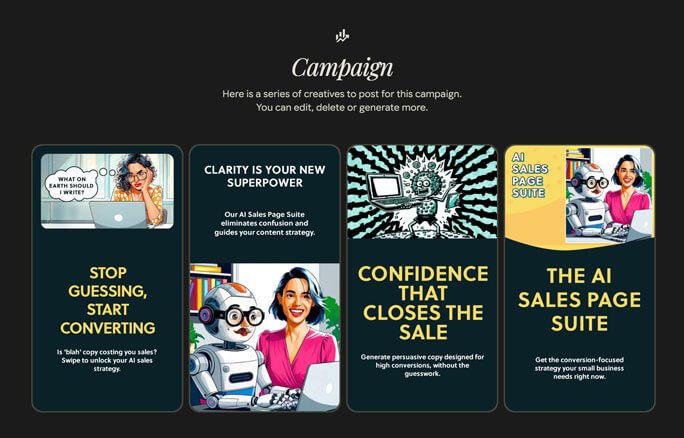
They’re 9:16 format, but you can ‘add creatives’ to the campaign and then you can choose square or 4:5 ratio images as well.
The copy is pretty basic, and there’s no other materials – for example there are no captions to accompany the images on social media.
Personally, I wouldn’t use any of these initial generations, they don’t represent the AI Sales Page Suite very well. For example one image claims it ‘guides your content strategy’. It doesn’t, but I suspect the tool is confusing our offers.
However, if you’re not happy, you can edit all of the generated material.
They all follow a format: image, header, description, and you can optionally add a CTA as well. And each element is editable, You can generate a new AI image, or upload your own, and you can edit all of the text.
Guiding Pomelli with our own campaign ideas
You can also provide your own campaign ideas.
So I prompted it with a fairly general campaign concept, but one that gave it a clear direction for the campaign:
Let’s create a campaign that gets the user to think about how writing the page prevents them from getting new offers on their site, and how the AI Sales Page Suite gives them a system where they don’t have to write a word but get high quality sales pages by interviewing them about their offer.
I immediately got better results:
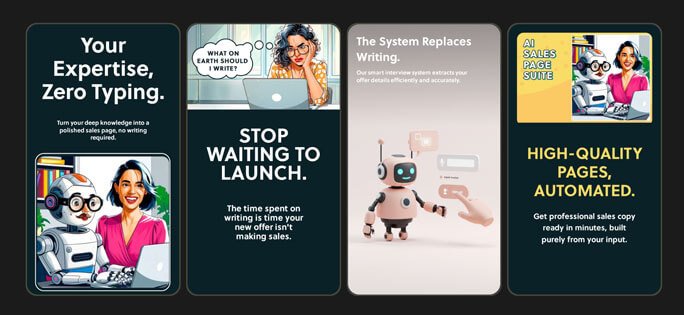
‘Stop waiting to launch’, the second image here is a good concept, I like that one. But on the other hand the fourth concept says ‘get professional sales copy ready in minutes’ which isn’t true, the process usually takes a couple of hours, and that is made clear on the page for the AI Sales Page Suite.
Free, but limited
At this point, I did a few more experiments, and then I got this message:
‘You have reached your generation limit for creatives. Try again next week.’
Next week?! It would have been nice to have had some visibility of how much I could use the tool before being suddenly cut off.
So, unfortunately, there ends our experiment.
I had generated 12 campaigns, in each campaign there are 4 images to use. So I had a total of 48 images.
Of those, I might consider using 13 of the images.
Here are three examples of ones I’d consider:
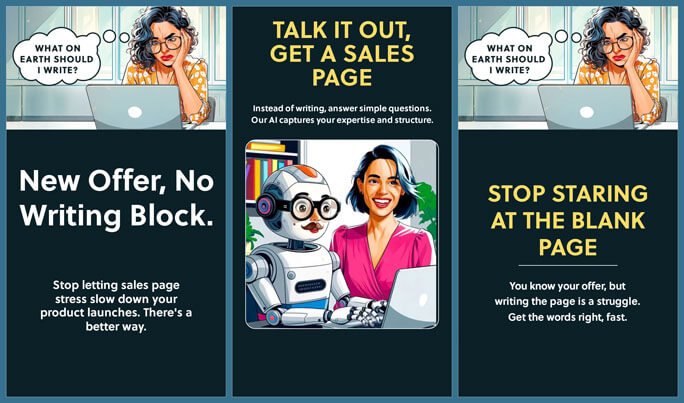
Although they’re not bad, they’re hardly brilliant either.
Overall thoughts
The thing that impressed me most was probably that the designs do appear to use our brand font. It’s not a very common font, so I wasn’t expecting it to be able to replicate it.
But overall, I expected something a lot better from Google.
Something that dug in a little deeper. Something that helped small businesses position themselves better, and develop better messaging.
Maybe even something that helped businesses define what AI-generated images might reflect their offer.
I definitely expected a social media ‘campaign’ to be more than 4 images. At the very least you need an accompanying caption.
And I guess I just expected to end up with better assets.
On the other hand, this could be somewhat useful for businesses that have zero in-house design skills, and zero in-house marketing skills.
So although Pomelli is absolute rubbish compared to what I hoped to find, I will grudgingly admit it might have some value.
And if Google continues to develop it, maybe someday it will be the tool I hoped it would be.
In the meantime, here are some tips for using Pomelli:
Final tips for getting the most out of Pomelli
The best use of AI relies on specific prompts and plenty of context, so to make up for some of Pomelli’s shortcomings, here’s what you should do:
- Go through your brand DNA carefully and make edits to ensure it’s genuinely on-brand
- Pay particular attention to the ‘business overview’, you only have about 50 words, so make sure they’re accurate
- Work with your favourite chatbot to create a detailed campaign prompt, that will get you much better results
- Make sure you edit any false claims Pomelli makes!
I’d love to hear your thoughts on Pomelli, if you found this post interesting, I’d love to hear your thoughts – connect with me and send me a message on LinkedIn.
