

Why ChatGPT Images vs Nanobanana Pro Matters
OpenAI just released a new image generator in ChatGPT, now simply called ChatGPT Images.
The release seems to be an attempt to compete with Google’s Nanobanana Pro image generator. Google have been on fire lately, which has been gaining them lots of new users, causing Sam Altman to declare a Code Red at OpenAI.
Before we take a look at whether ChatGPT’s new image generator is good enough to prevent people from switching over to Google’s Gemini to access Nanobanana Pro, let’s take a moment to once again reflect on how quickly things move in AI.
It feels like just a moment ago we were marvelling at how amazing the 4o image generator was – you probably turned yourself into either an action figure or a Studio Ghibli cartoon with it.
That was in March.
Then along came Nanobanana in August and blew our minds again – this time everyone was posting AI ‘photos’ of themselves with Elon Musk or Taylor Swift.
Then, just a month ago we got Nanobanana Pro, this time the standout ability was to generate complex slides or infographics – you might have seen people posting visual representations of their LinkedIn profiles.
Now, with OpenAI in Code Red mode, pushing out releases to play catch up with Google, we get ChatGPT images to try and compete with Nanobanana Pro.
So how does it compare?
How I Tested ChatGPT Images and Nanobanana Pro
I thought I’d test it on a real-world task, I wanted an image of myself ‘discovering’ a valuable book called The Lost User Manual in a kind of Indiana Jones style setting.
You might wonder how on earth this could be a real world task, but it was to create a marketing image for an AI training session I was planning. I’ve noticed a lot of people use ChatGPT without ever even realising half of the features that are available… so I wanted to develop The Lost User Manual for ChatGPT.
I’m not going to include the prompts in this post, just to keep things tidy, but in brief I was looking for:
- A 9:16 ratio image of a man holding up a book
- Cinematic style, in an Indiana Jones type of setting
- The character should be based on uploaded photos of myself
- The book should say “The Lost User Manual” on the cover.
I tested the same prompt in the old ChatGPT image generator, 4o ImageGen, the new one ChatGPT Images, and Nanobanana Pro. And I took the first image generated from each model.
I scored each result out of 5 on likeness, cinematic quality, colour and lighting, aspect ratio control, and text handling.
All of the models did a relatively decent job, considering this is an image that one year ago would have been very hard to achieve without jumping through a few additional hoops. They all did really well with the text on the book cover – although it was relatively simple text, so that’s not a huge surprise.
Image Quality Comparison: ChatGPT Images vs Nanobanana Pro
4o ImageGen (old ChatGPT):
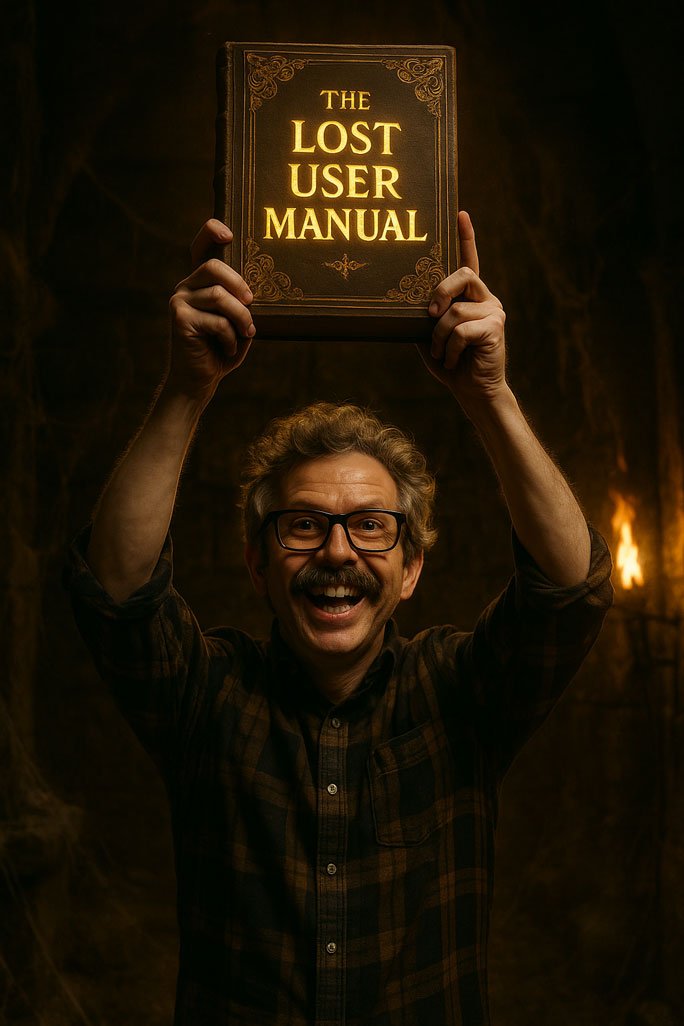
Very dark, not a brilliant likeness of me, and generally not very cinematic. Not the requested 9:16 aspect ratio because ChatGPT only has three preset image sizes, square, vertical (3:4 ish), and landscape (4:3 ish).
- Likeness accuracy: 2/5
- Cinematic quality: 1/5
- Colour and lighting: 1/5
- Aspect ratio control: 1/5
- Text handling: 4/5
- Total: 1.8/5
ChatGPT Images (new):
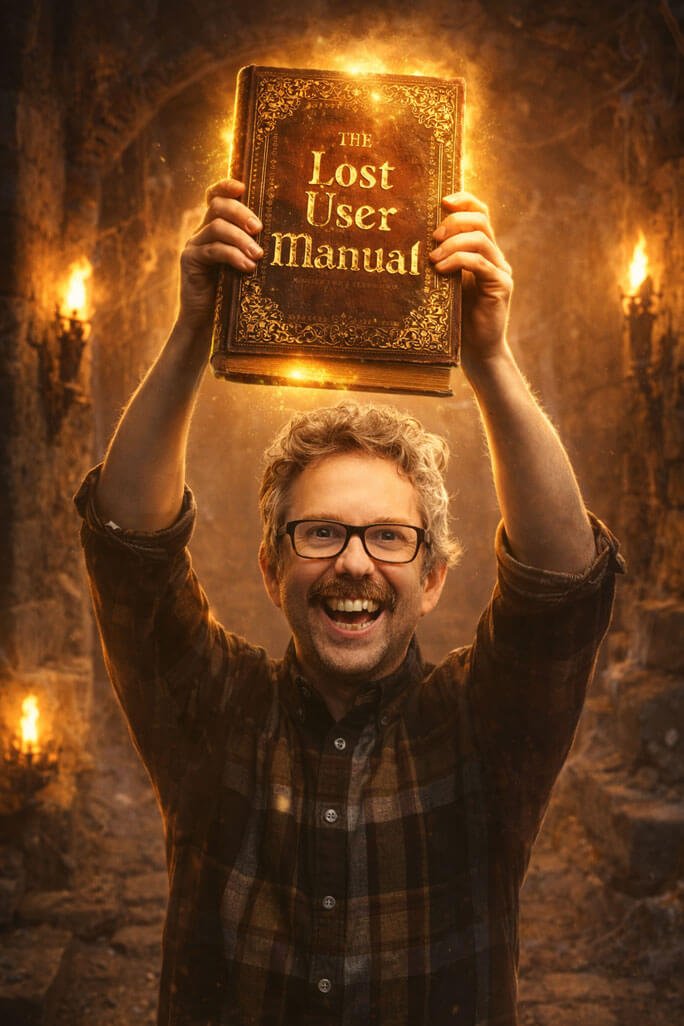
Big improvement, much more cinematic. Better likeness facially, though has definitely bulked me up physically (is it hinting at me to go to the gym?). Still seemed unable to generate a 9:16 ratio image. Also still leans toward that yellow tint ChatGPT loves (you can prompt to avoid this, but I wanted to see the default output).
- Likeness accuracy: 3/5
- Cinematic quality: 3/5
- Colour and lighting: 3/5
- Aspect ratio control: 1/5
- Text handling: 5/5
- Total: 3/5
Nanobanana Pro (Google):
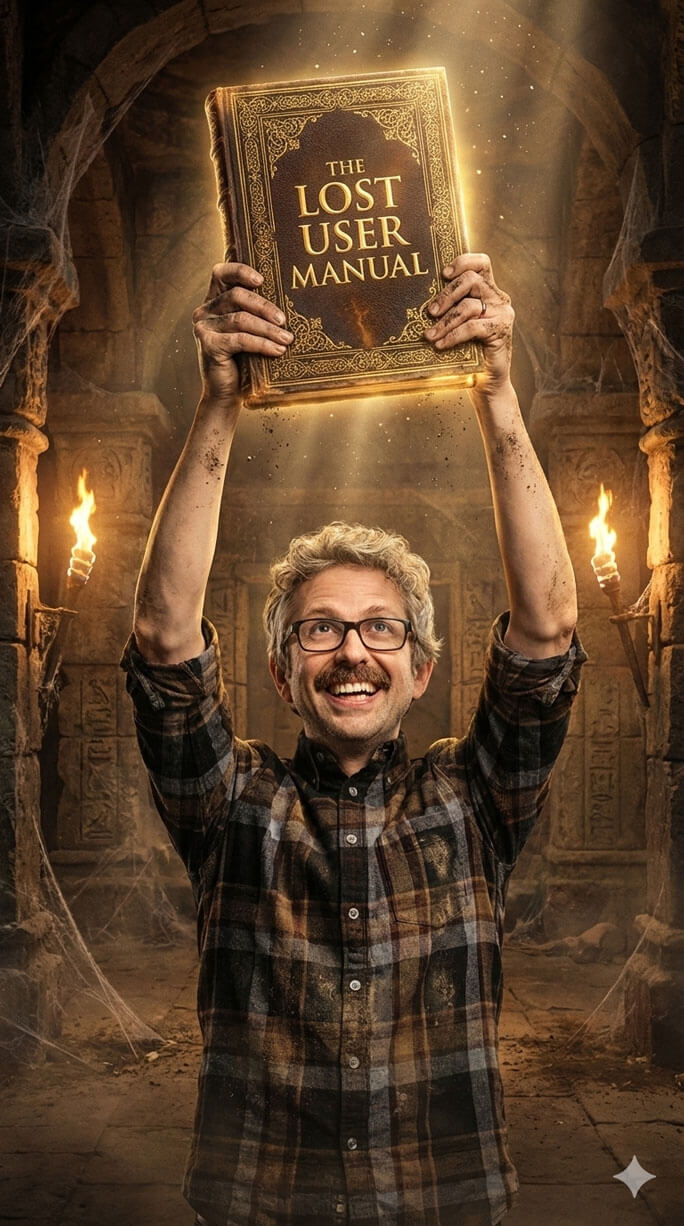
This one’s the winner for me. Definitely the most cinematic looking. Did a great job of changing my facial expression completely while retaining a likeness, and did a better job of retaining my physicality. The colours are beautiful in this one too. And it’s 9:16 ratio (more or less, it’s off by a few pixels)
- Likeness accuracy: 4/5
- Cinematic quality: 5/5
- Colour and lighting: 5/5
- Aspect ratio control: 4/5
- Text handling: 5/5
- Total: 4.6/5
Infographic Test: Text and Layout Handling
ChatGPT Images is supposed to be much better at handling text. OpenAI did not make a big deal of infographics in the launch, but given that it is directly competing with Nanobanana, and Nanobanana is famously strong at infographics, it felt like an obvious test to run.
For this test, I scored each model on text accuracy, information hierarchy, layout and structure, style adherence, and obvious visual errors.
4o ImageGen (old ChatGPT):
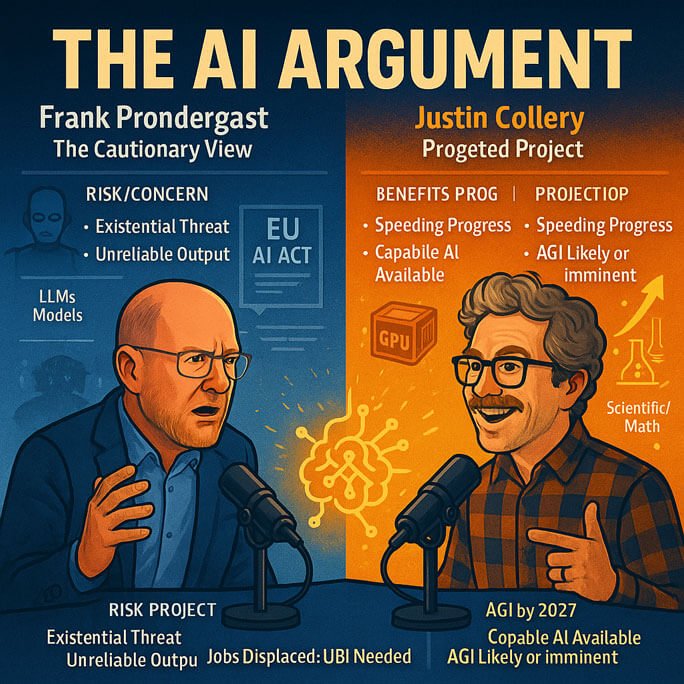
4o failed to figure out who was who, so reversed our names. Not only did it put my name above Justin, but it also called me Frank Prondergast (rather than Prendergast). It mangled a lot of other text, the likenesses were more like passing resemblances, and the overall style is just OK.
- Text accuracy: 2/5
- Information hierarchy: 1/5
- Layout and structure: 1/5
- Style adherence: 3/5
- Visual errors: 3/5
- Total: 2/5
ChatGPT Images (new):

On first pass the new ChatGPT image generator gave me a good image, but it wasn’t remotely like an infographic, so I pushed it and it generated a much better infographic.
Originally I wanted a square image to compare all the models like-for-like, but ChatGPT clearly decided that to include data points in infographic style it needed more space.
It did a remarkably good job with lots of text, it did mangle some of the tiny text at the bottom. There are also a few other typical AI tell-tale signs throughout – most noticeable the amount of fingers on my right hand. Stylistically it’s exciting and dramatic looking, and I guess you could argue this is a digital illustration style, though the prompt indicated that it should be something a bit more drawn looking.
- Text accuracy: 4/5
- Information hierarchy: 4/5
- Layout and structure: 4/5
- Style adherence: 2/5
- Visual errors: 3/5
- Total: 3.4/5
Nanobanana Pro (Google):
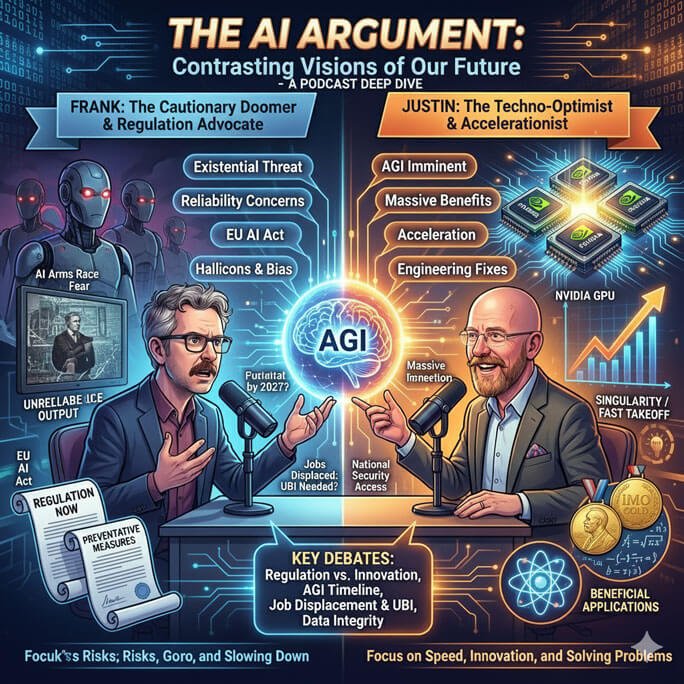
Nanobanana Pro has got a name for itself for excelling at this task, so it’s no surprise it did really well with this challenge, it created a square infographic with data points, it got the digital illustration style spot on, it’s exciting looking, and we all have the right number of fingers. But to my surprise there were a lot of typographic errors – I’ve seen examples of Nanobanana doing much better with even more text.
- Text accuracy: 3/5
- Information hierarchy: 4/5
- Layout and structure: 4/5
- Style adherence: 5/5
- Visual errors: 5/5
- Total: 4.2/5
Iterative Prompting and Image Editing
Just for fun, I also tested how well ChatGPT Images handles iterative prompting, starting with an image and refining it step by step. This is meant to be a key improvement over the 4o image generator, particularly when it comes to preserving details across edits. I did not run a full comparison here, but it is clearly a big step up from 4o.
Final Verdict: Should You Switch to Nanobanana Pro?
Across all my tests, ChatGPT Images is a very welcome improvement over the 4o image generator. That said, Nanobanana Pro still comes out ahead on several fronts.
If you are already a ChatGPT user, you are not missing out by generating images there. It is highly capable, and for many everyday use cases it will do an excellent job.
However, if ChatGPT is struggling with a specific task, whether that is sticking closely to a reference image or producing a well structured infographic, there is a useful workaround. Get as close as you can with ChatGPT, then ask it to write the image prompt for you. Take that prompt over to Gemini and run it through Nanobanana Pro instead.
This is particularly effective if you are on a free or lower tier Gemini plan, where Nanobanana Pro generations are limited. Use ChatGPT to refine the prompt, then spend your limited Nanobanana Pro runs on the most polished version to see if it delivers a better result.
Overall, Nanobanana Pro still comes out on top, but not by a wide enough margin to make switching from ChatGPT to Gemini worthwhile for most people.
